
This alert sends a weekly digest of all newly created customers.
This example follows the same steps covered in Creating a new Alert.
Step by Step
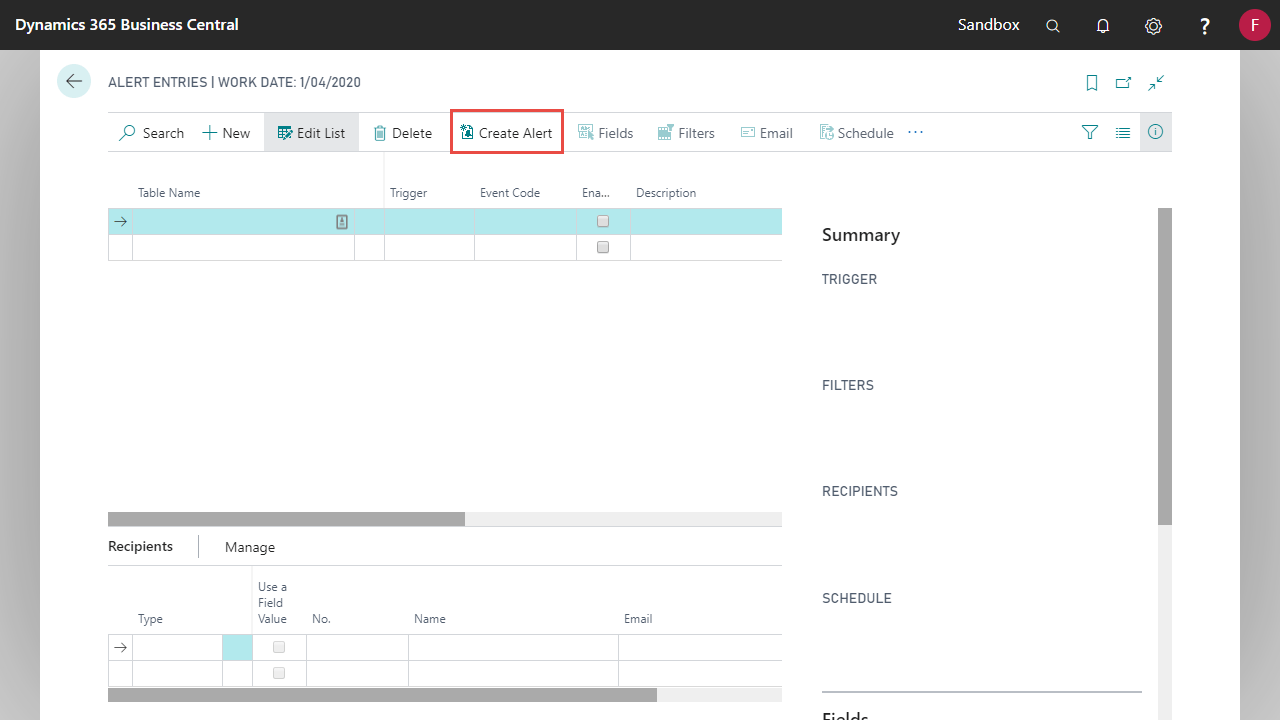
- From Alert Entries, select Create Alert.
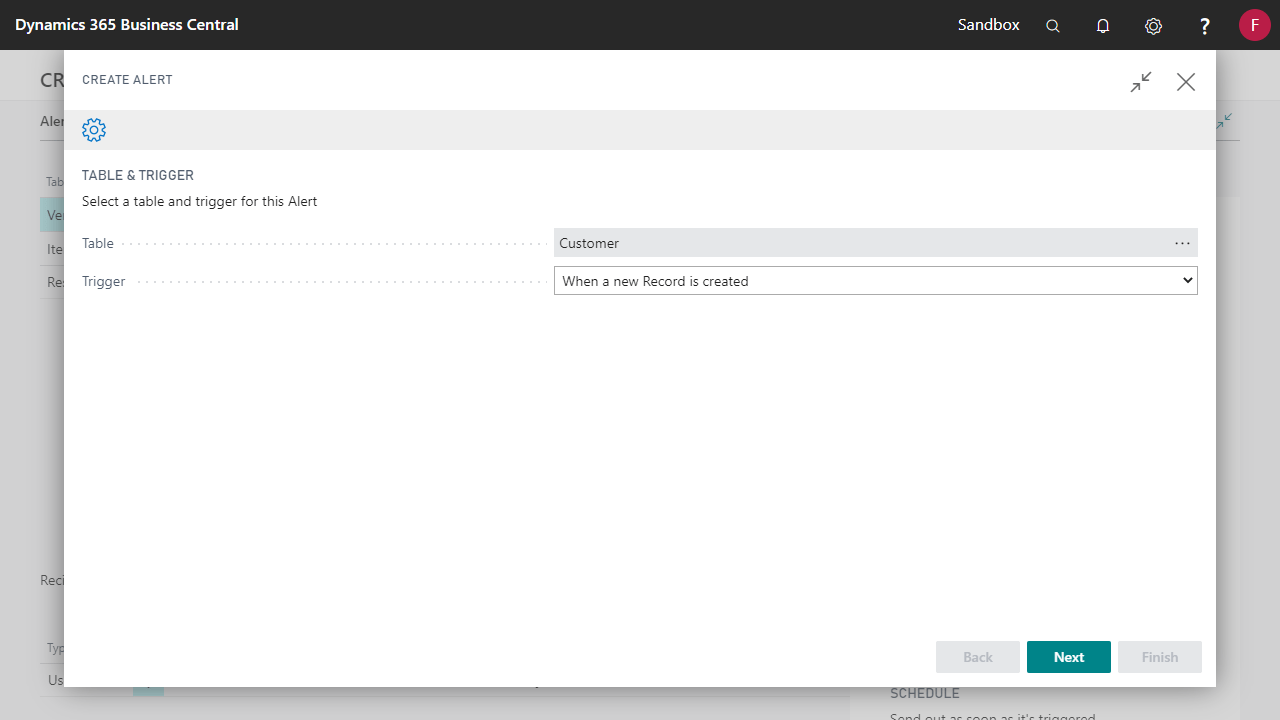
- Select the Customer table. The Trigger will be When a New Record is Created.
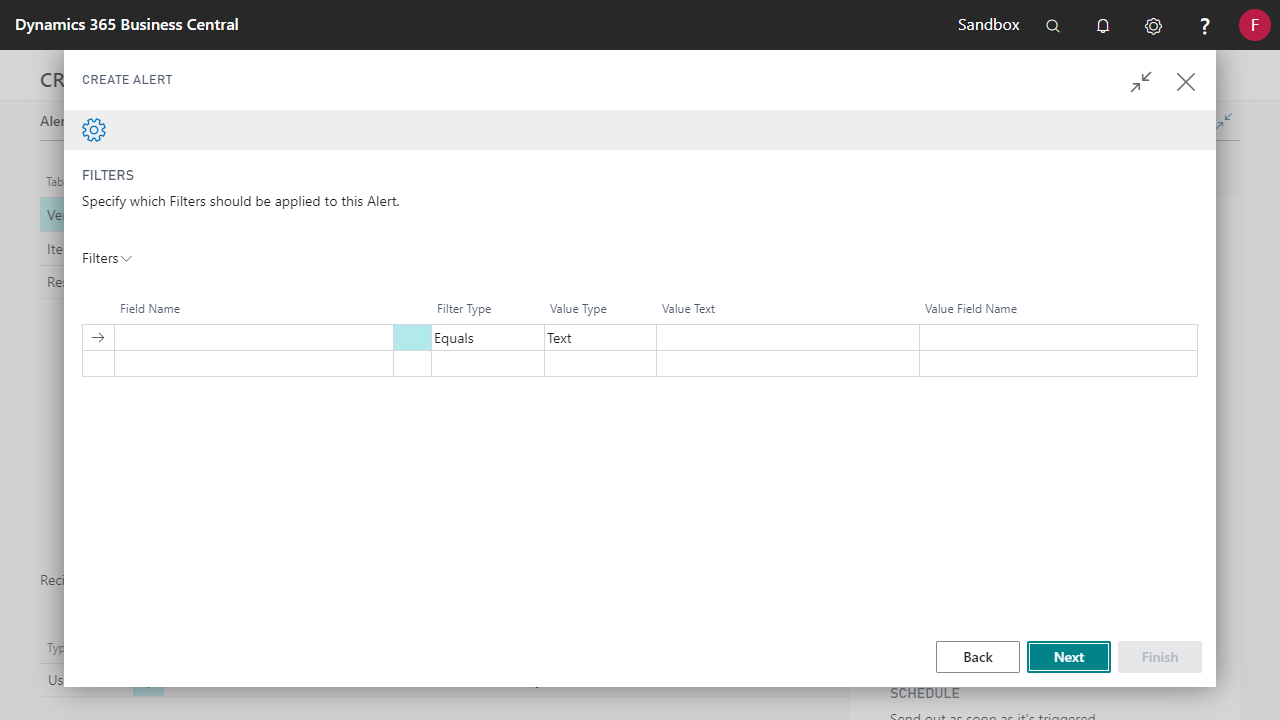
- The alert will be created for all new customers. No filters should be entered.
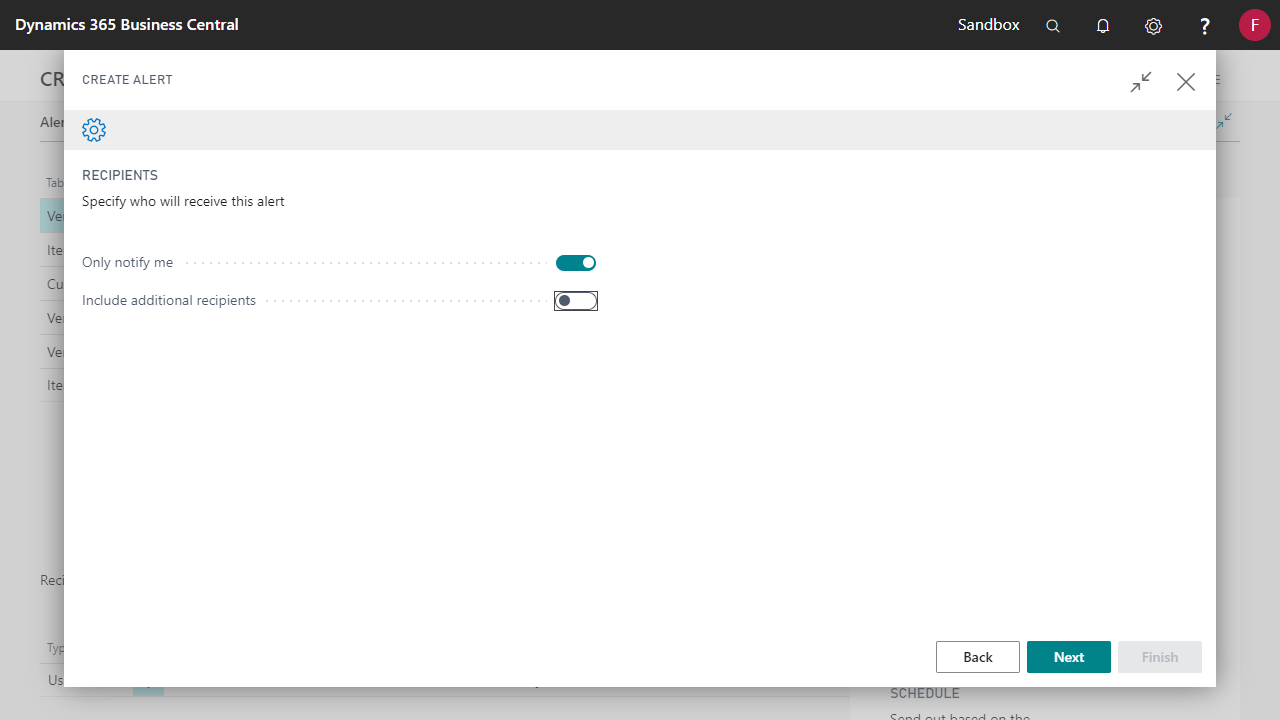
- Select who should be notified. See the Change who an alert is send to guide for options on alert recipient setup.
- Select when the alert should be sent. See the How to schedule Alerts guide for options on schedule setup.
In this example, When to Send will be Interval - Recurring on a Regular Schedule.
Start Date The date that alert entries should start being recorded Next Check Date The first date that alert entries will be sent 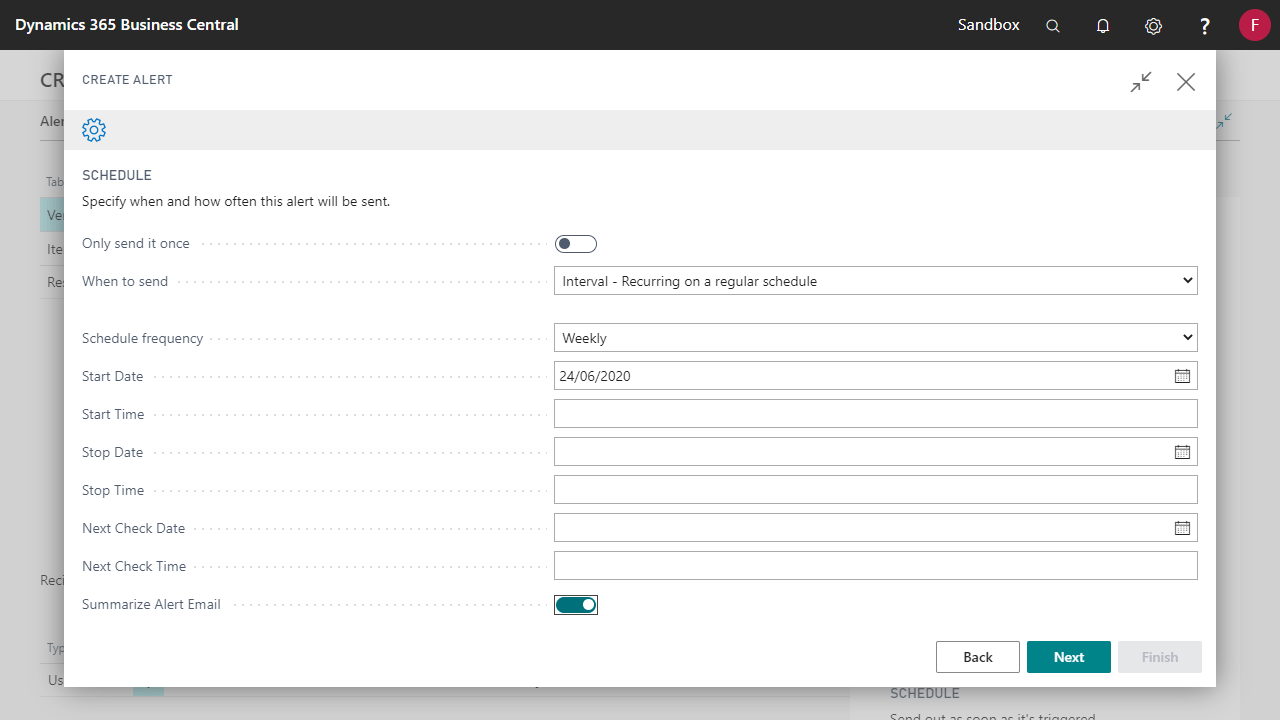
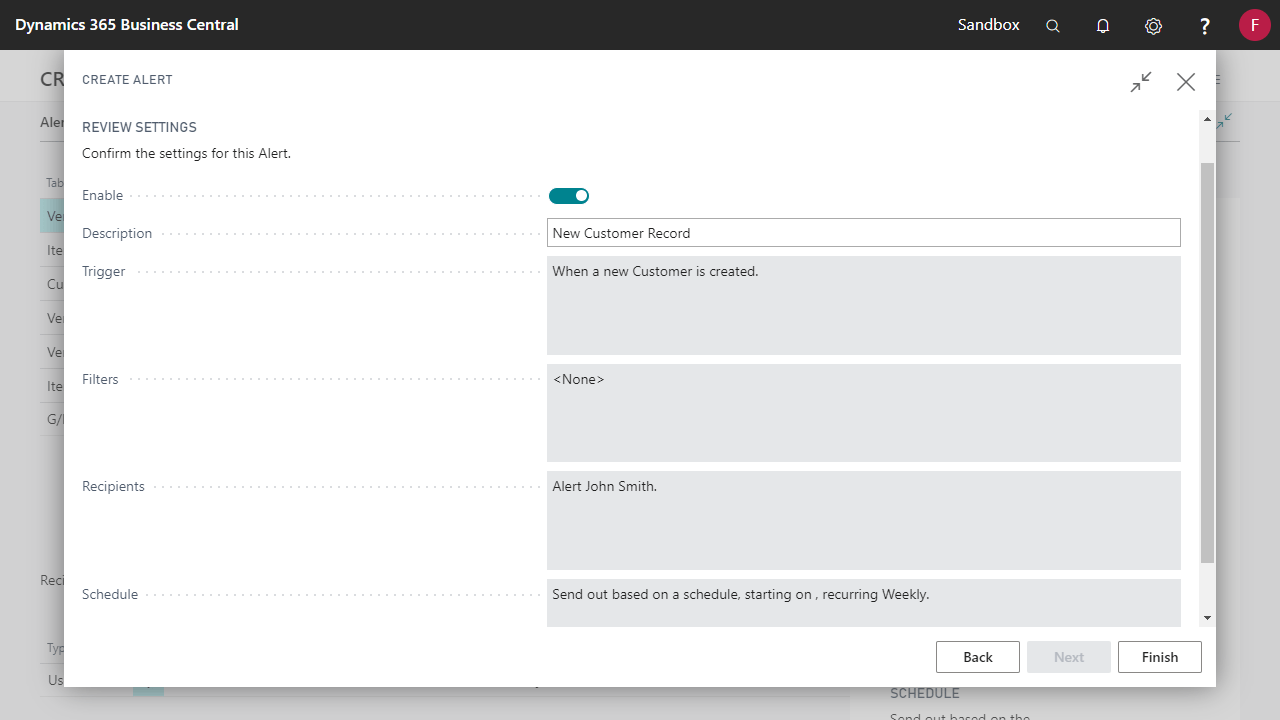
- Review the settings and select Finish to create the Alert.
Comments
0 comments
Please sign in to leave a comment.