
You can manage your shipments via Business Central. Track and cancel shipments using the following steps.
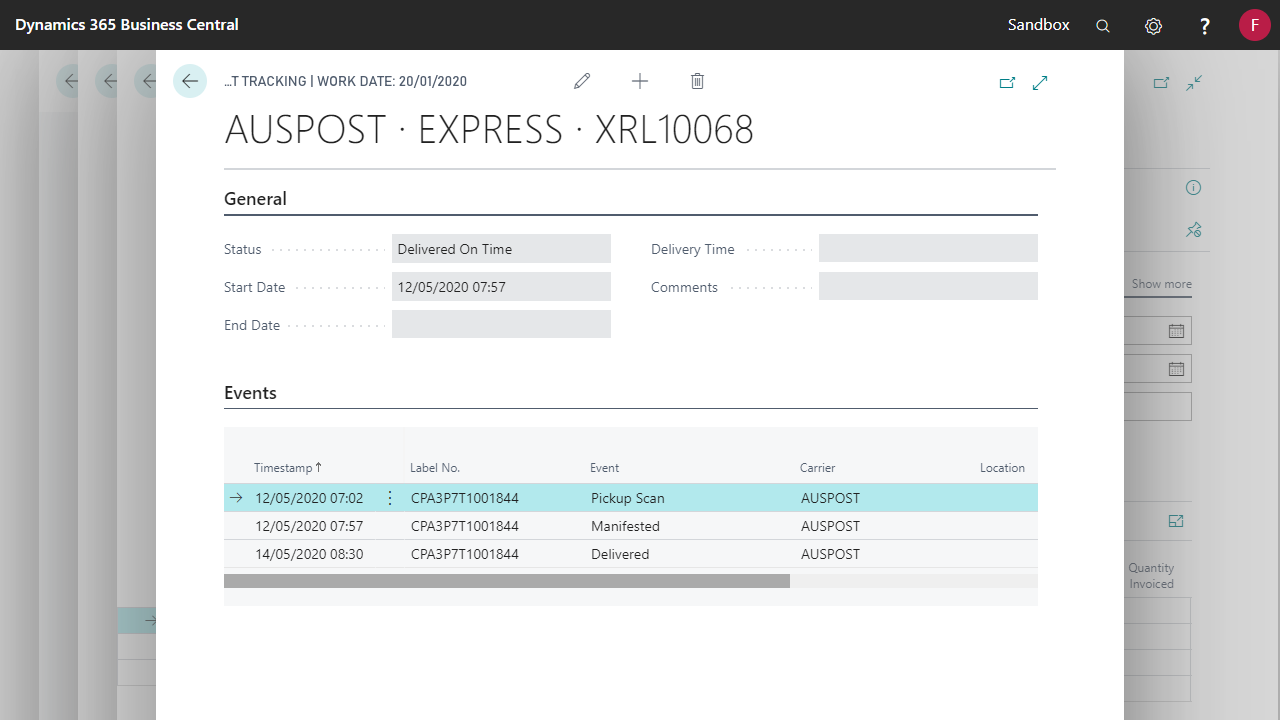
Tracking your shipment
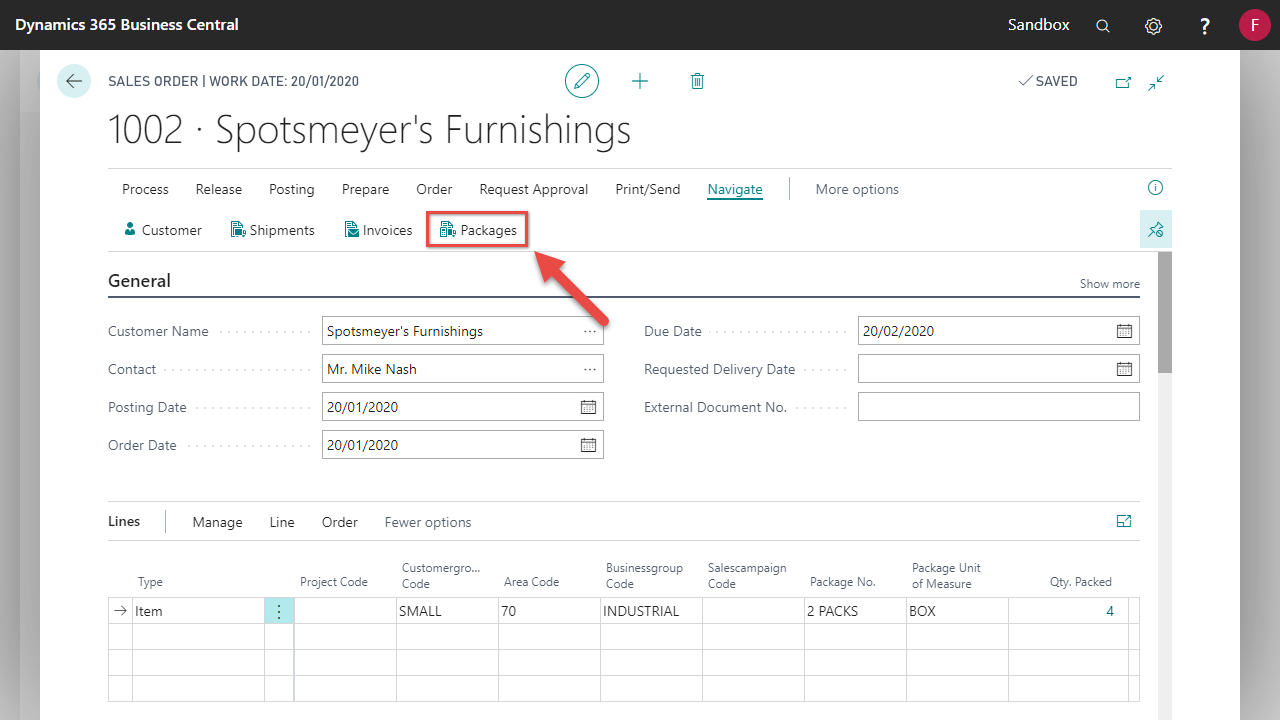
- Locate and open the Document you wish to track and select Packages.
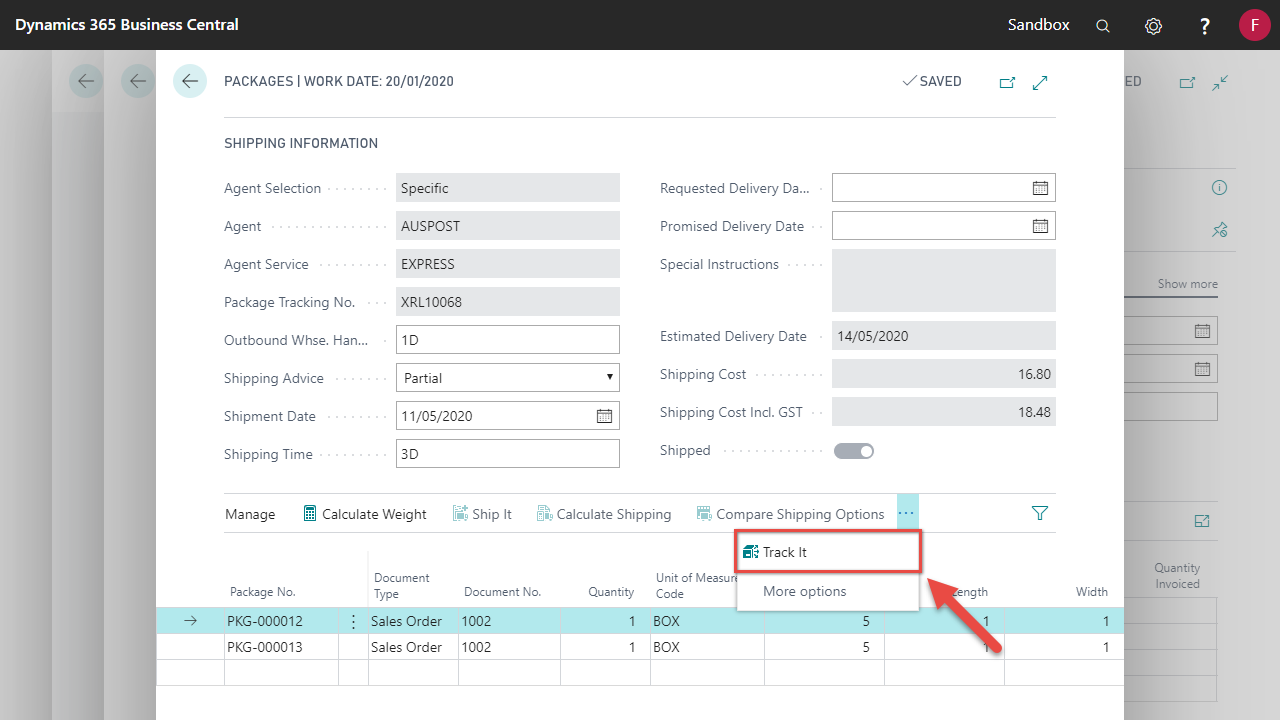
- Select Track It
Cancelling your Shipment
You can only cancel your shipment if the consignment has not yet been manifested.
Once manifested you must contact the carrier to organise a cancellation. You can check whether the shipment has manifested by tracking the shipment, and look for the manifested event.
- Locate and open the Document you wish to track and select Packages
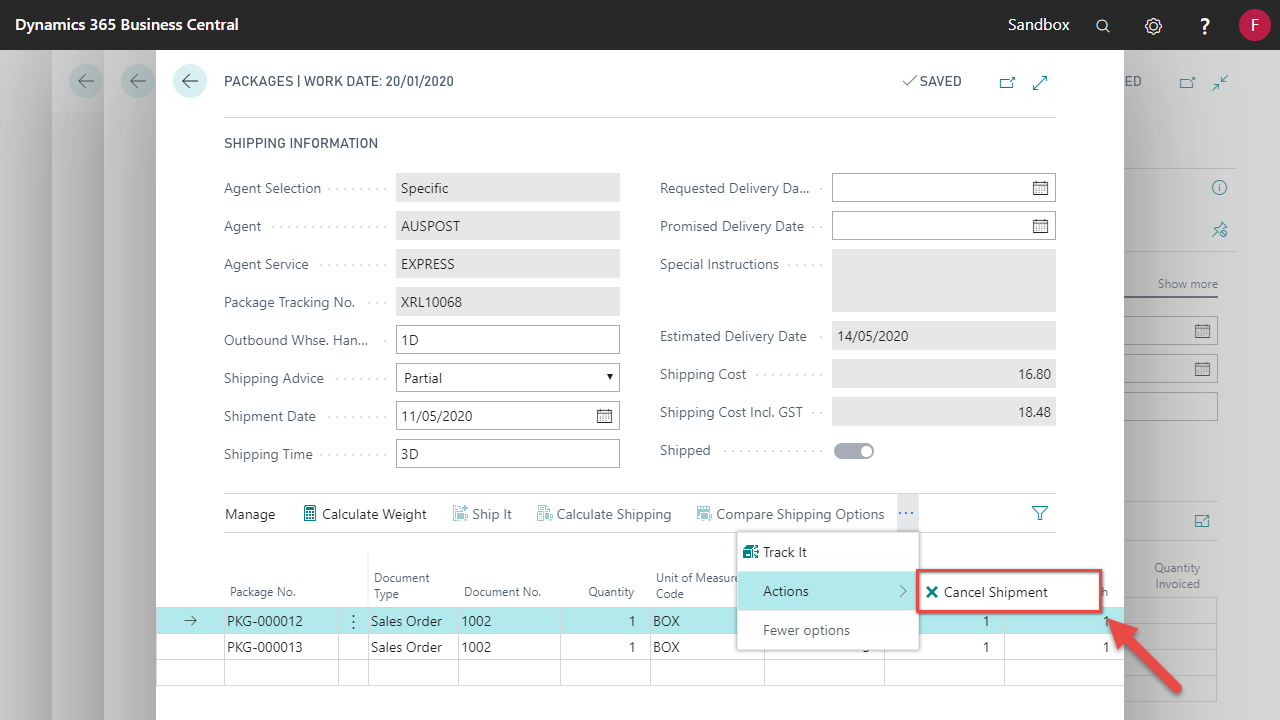
- Select Actions > Cancel Shipment
Comments
0 comments
Please sign in to leave a comment.